This is your dedicated support space for requesting help, submitting tickets, and understanding how
Jcurve Solutions delivers fast, expert assistance.
Whether you are using Jcurve ERP, NetSuite Cloud ERP, Field Service Management (FSM),
or Jcurve Expense (Jtel), our support team is here to guide you—every step of the way.
From issue resolution to escalation, our proven support process ensures you get timely,
personalized help when you need it most.
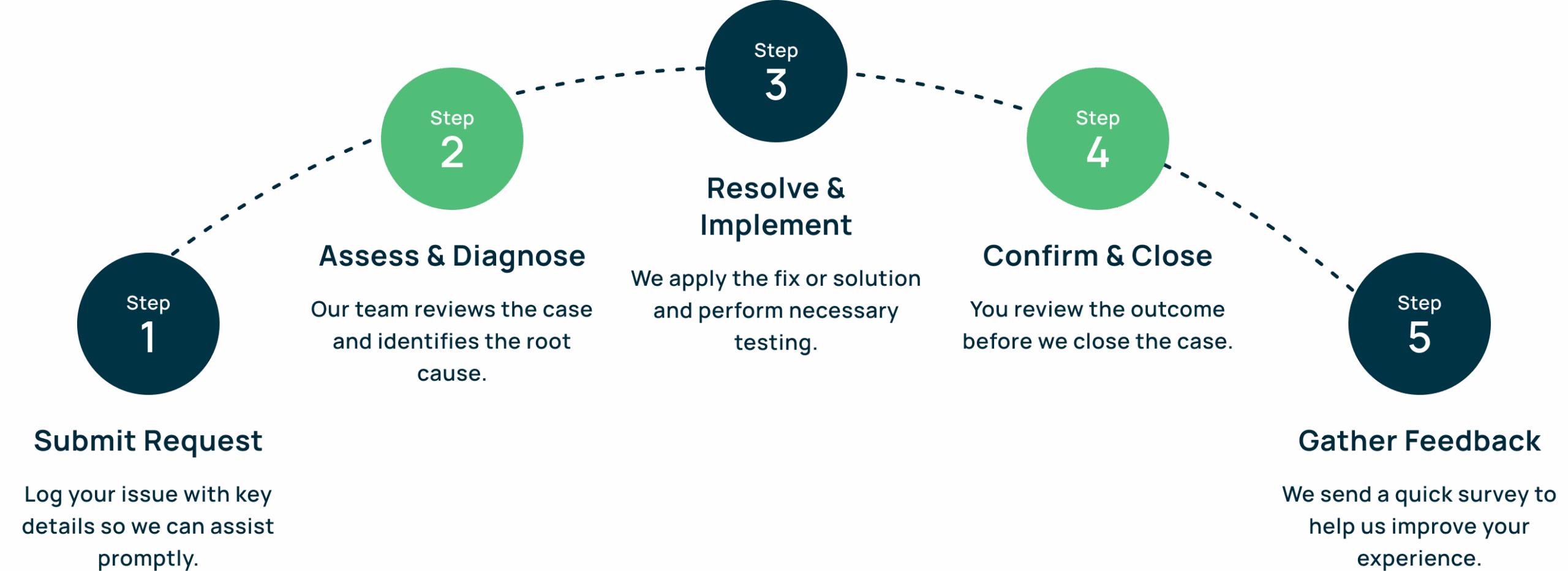
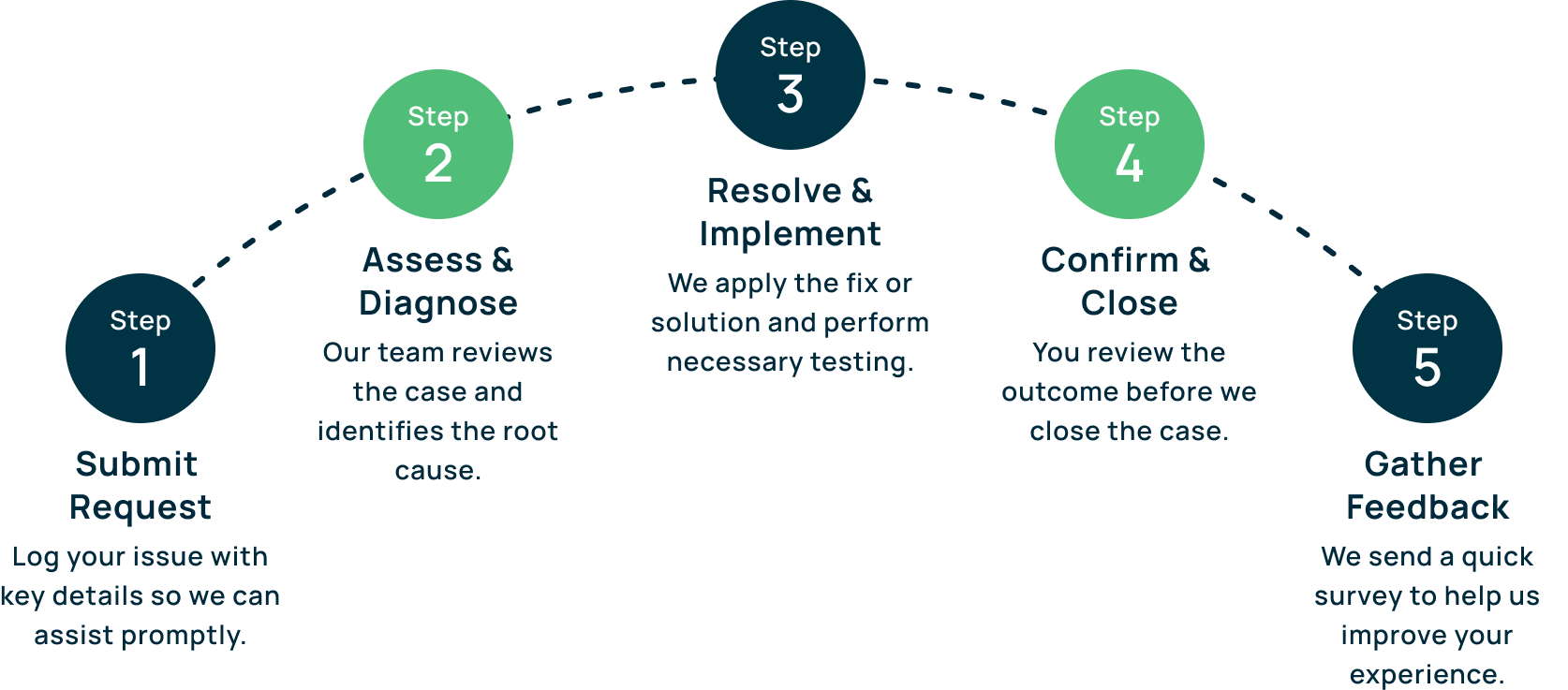
Support Process
What Makes Jcurve a Trusted Support Partner
Professional. Certified. Experienced
Our support team is made up of certified consultants and ERP specialists with deep knowledge of NetSuite, Jcurve ERP, and Field Service Management. We understand your system and your business challenges.
Root Cause, Not Just Quick Fixes
We don’t just fix symptoms. We dig deep to find and solve the root cause of issues, helping you avoid repeated disruptions and improve long-term system performance
Fast Response, Clear Communication
We prioritize fast response times, transparent updates, and clear solutions — so you’re never left guessing. Our structured process ensures consistent service every time.
Support That Scales With You
As your business grows, we’re here to support new users, modules, and integrations. Whether it’s troubleshooting, enhancements, or training — Jcurve grows with you.
Local Support, Global Standards
We provide support from experts based in your region, while following global best practices for ERP and IT service management.
Secure & Confidential
Your data and operations are protected by strict security policies. We treat your business like it’s our own.